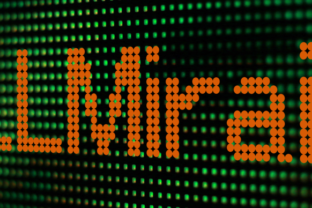
Mirai
Mirai—the Japanese word for “future”—has become a favorite among designers, marketers, and creators who want to inject a modern, forward-looking feel into their projects. This futuristic display font is immediately recognizable for its clean lines, geometric shapes, and often sleek, almost sci-fi aesthetic. Whether you’re working on a tech brand identity, a gaming interface, a promotional poster for a futuristic event, or even a personal portfolio, Mirai can instantly set a tone that says “innovation” and “tomorrow.” But like any specialized tool, it works best when used with intention. Many people are drawn to Mirai for its striking look, yet they sometimes overlook key details that can turn a bold statement into a confusing, even amateurish, presentation.
The appeal is understandable. A display font with such a strong personality can transform ordinary layouts into something memorable. However, the very qualities that make Mirai exciting—its distinct letterforms, its stylized curves, its lack of serifs in many versions—also create pitfalls. Without careful consideration, you can end up with text that’s hard to read, a message that feels out of place, or a design that feels more gimmicky than genuinely futuristic. This article walks through common mistakes and misunderstandings people encounter when choosing, using, or evaluating Mirai. More importantly, it offers practical advice so you can harness its power without falling into those traps.
Treating Mirai as a One-Size-Fits-All Font
One of the most frequent missteps is using Mirai for everything in a project. The font is designed for display purposes—headlines, short titles, logos, and small blocks of text where you want to make an impact. Using it for large paragraphs, body copy, or dense information is almost always a mistake. The distinctive shapes that work well in large sizes become fatiguing at 12 or even 16 pixels for continuous reading. Readers will struggle to scan quickly, and the futuristic vibe can wear thin when it forces them to decipher every word.
Better approach: Reserve Mirai for elements that need visual punch. Pair it with a legible, neutral sans-serif or serif font for your body text. For example, use Mirai for a main heading and a clean font like Open Sans or Noto Sans for the paragraphs. This contrast not only improves readability but also highlights the futuristic font as a deliberate accent rather than an overused gimmick. If you’re building a website, test your combination on different screen sizes—what looks crisp on a desktop may blur into an uncomfortable mess on a phone.
Overlooking Spacing and Kerning
Futuristic fonts, including many versions of Mirai, often have tight or unusual letter spacing by default. The design may play with negative space or angular connections between characters. When you apply standard kerning settings from design software, you might end up with letters that collide or, conversely, drift too far apart. This can make words feel disconnected or hard to read, especially in all-caps settings.
Better approach: Manually adjust tracking and kerning for your specific use of Mirai. In a tool like Illustrator, Photoshop, or Figma, turn on optical kerning or switch to metric kerning and then fine-tune pairs that look awkward. Pay special attention to combinations like “AV,” “To,” “Wa,” or any letters with diagonal strokes. If the font includes ligatures, consider enabling them—but again, test for readability. When using Mirai for a logo or short headline, take the time to kern each letter visually; the extra minutes can make the difference between a polished look and a sloppy one.
Mismatching the Context and Audience
Not every futuristic project actually calls for a Japanese-inspired, geometric display font. Mirai carries a specific cultural and stylistic connotation. Using it for a flyer about blockchain technology might feel natural, but applying it to a brochure for a retirement community—even if you want to evoke “future innovations”—could feel jarring or even disrespectful. Similarly, a children’s app about space exploration might work beautifully, but a formal financial report likely won’t. The mistake is assuming that “futuristic” is a universal tone. It’s not. Futurism can be sleek, hopeful, cold, playful, or dystopian. Mirai often leans into an optimistic, clean, minimalist version of the future.
Better approach: Before choosing Mirai, define the emotional and cultural context of your project. Ask yourself: Does this design need to feel warm and approachable, or cold and precise? Does my audience associate this style with innovation or with an overused trend? If you’re targeting a global audience, also consider that Japanese text treatment matters—Mirai as a word may be used as a name or theme, but if you incorporate actual Japanese characters, make sure you have proper licensing and typographic understanding. When in doubt, test the font with a small group that matches your target audience and get honest feedback about tone.
Ignoring Licensing and Source Legitimacy
A mistake that can cost you time, money, and legal trouble: downloading Mirai from a free font site without verifying its license. Many versions of Mirai exist—some are free for personal use but require a purchase for commercial projects. Others may be shareware or have restrictions on embedding in mobile apps or ebooks. Because the name “Mirai” is common, multiple typefaces share it, and not all are the same quality. Using an unlicensed or incorrectly licensed font can lead to takedowns, fines, or embarrassment when a client receives a copyright notice.
Better approach: Always check the license terms of any Mirai font file you download. If you’re using it for a commercial project—client work, a product, a published book—buy a proper license from a reputable foundry or marketplace like MyFonts, Fontspring, or Creative Market. Many professional versions of Mirai are available. If you’re on a tight budget, look for open-source alternatives that clearly state they are licensed under SIL Open Font License or similar permissive terms. But verify that the font is truly free for your use case, not just “free to try.” Also, check for updates: the best Mirai implementations include proper hinting for screen display, multiple weights, and expanded character sets that the free knockoffs often lack.
Choosing the Wrong Weight or Style
Mirai often comes in multiple weights—light, regular, bold, sometimes condensed or extended. A common mistake is picking a weight based solely on visual appeal without considering how it will work in context. An ultra-light weight may look elegant in a large poster but become nearly invisible in a small mobile header. A bold weight might overpower a subtle background or clash with other design elements. Similarly, some versions include italic or oblique styles that can look stretched or distorted if the font doesn’t have true italic glyphs.
Better approach: Choose your weight based on hierarchy and legibility needs. For a hero banner text, you can use a heavier weight to create impact, but ensure contrast with background color is sufficient (avoid light gray on white). For subheadings or smaller display text, a medium or regular weight often works better. If you need an italic, check that the font includes properly designed italic forms, not just an algorithmic slant. Test your chosen weight at the actual size and medium (print, screen, projection) where it will appear. Print might handle thin strokes better than a backlit screen with low contrast.
Pairing Mirai with Clashing Typefaces
Because Mirai is so distinctive, it can be tempting to let it stand alone, but every project with more than one line of text requires a complementary secondary font. Another mistake is pairing Mirai with a typeface that fights for attention—say, another geometric display font with similar energy, or a highly decorative serif that creates visual noise. The result is a chaotic, unfocused layout where neither font shines.
Better approach: Choose a secondary typeface that contrasts clearly with Mirai. A classic sans-serif like Helvetica Neue, Roboto, or Source Sans works well because it’s neutral and lets Mirai take the lead. Alternatively, a modern serif like IBM Plex Serif can add a touch of warmth and readability. The key is contrast: Mirai is geometric and often stylized, so your body font should be more straightforward and highly legible. Avoid pairing two “futuristic” fonts together unless you have a deliberate, layered design concept that requires it. Test your pair in a sample layout and step back; if your eye keeps jumping between fonts, you probably need a simpler companion.
Underestimating Legibility in Motion or Small Sizes
Many designers first encounter Mirai in a static image, but then apply it to a video title, a slide deck, or even a mobile app UI. What looks crisp in a Photoshop mockup can become a blurry, indistinct mess when text is animated or scaled down. Some versions of Mirai have very thin strokes or tight apertures (the openings in letters like “e” and “a”), which close up at small sizes or in motion. This can lead to misreads or a frustrating user experience.
Better approach: Before committing to Mirai for a moving or small-scale use, create a prototype. Test a headline in a video editor at full resolution and at the size it will actually play. For mobile UI, render the font at the actual device pixel density and check readability at the smallest size it will appear. If the font becomes unclear, consider increasing the weight, adding a subtle text shadow or outline, or switching to a more robust display font that holds up better in those conditions. Sometimes, a similar but optimized typeface like Exo or Orbitron can give you the futuristic feel without the legibility sacrifices.
Neglecting Color and Background Contrast
A futuristic font often looks best on a dark background or with neon-like color effects. But a common oversight is not accounting for contrast ratios. Using Mirai in a light gray on a white background, or in a dark blue on a near-black background, can reduce readability dramatically. The font’s design might look “cool” but become inaccessible, especially for users with low vision or when viewed on low-brightness screens.
Better approach: Follow WCAG contrast guidelines as a starting point, even for decorative headlines. For large text (24px or larger or 19px bold), aim for a contrast ratio of at least 3:1; for smaller text, 4.5:1. Tools like WebAIM’s contrast checker can help you evaluate color pairs. If you want a vibrant, futuristic look, use bright colors against dark backgrounds (e.g., cyan or orange on dark navy) and ensure the background has enough depth to support the glow. Avoid relying solely on color to convey meaning—use size and weight as well. When using Mirai for a logo, test it in single-color black and white first; if it works without color effects, it will be more versatile.
Rushing into a Decision Without Testing Real Content
Lastly, many people are seduced by a sample poster or a beautiful Google Fonts preview and assume Mirai will automatically elevate their project. They download the font, apply it to a title, and later realize that the font doesn’t have the glyphs they need—like accented characters for a multilingual audience, or a particular punctuation style. Or they discover that the font file doesn’t hint well for web, causing jagged edges on Windows. By then, they’ve already invested time and need to backtrack.
Better approach: Before you make Mirai a core part of your identity or project, do a thorough check. Type out the full text you intend to use—including names, URLs, numbers, and special characters—in the font at actual intended sizes. Look for any missing characters or awkward shapes. Test it on different operating systems and browsers if it’s for web, or request a physical print sample if it’s for print. Check if the font supports the languages you need. If you’re hiring a designer, ask them to include a full character map in their proposal. A little due diligence upfront prevents a redesign later.
Moving Forward with Mirai
Mirai is a powerful tool when you understand its strengths and limitations. Its geometric, futuristic aesthetic can be exactly what your project needs to stand out and communicate innovation. But like any specialized typeface, it requires thoughtful application. Avoid using it for body text, pay attention to spacing, choose appropriate weights and pairings, and always verify licensing and legibility in your specific context. By avoiding these common mistakes, you’ll not only create more effective and professional designs but also develop a better intuition for when and how to use display fonts with personality. The future of your design is in your hands—make sure Mirai is part of a well-considered plan, not just a flashy shortcut.